Sel: 0 | 0 fails to adds new line unexpectedly #7716
Description
Description of the Issue
Say you have the following file:
abc\n
def\n
\nEOF
If you were to use your cursor to select the full word def, theres a large chance that your cursor is positioned a few pixels right of def, resulting in the status bar at the bottom to show Sel: 4 | 1 instead of Sel: 3 | 0 due to counting the new line.
Of course it could be obvious because def is a word and it would show a green background, but if there is a space or tab that you are also highlighting, for example def\t, then the highlighting won't show.
Expected Behavior
Show the selected words minus the new line, or at least make it obvious that it is also counting the new line in the selection.
Actual Behavior
Sel records new lines seemingly unexpectedly
Debug Information
Notepad++ v7.8.1 (64-bit)
Build time : Oct 27 2019 - 22:57:19
Path : C:\Program Files\Notepad++\notepad++.exe
Admin mode : OFF
Local Conf mode : OFF
OS Name : Windows 10 Pro (64-bit)
OS Version : 1903
OS Build : 18362.476
Plugins : mimeTools.dll NppConverter.dll NppExport.dll
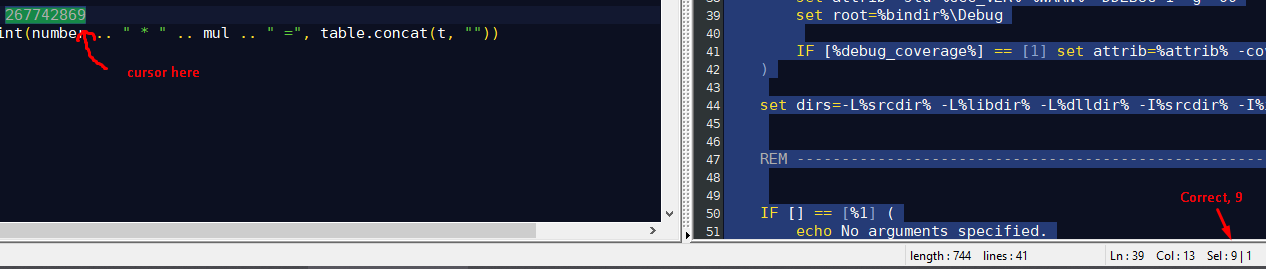

(Slight edit by @sasumner to correct the impossible Sel: 4 | 0 into Sel: 4 | 1 )